
You can change your mobile number, password and email address at any time by logging into your account and selecting Settings.
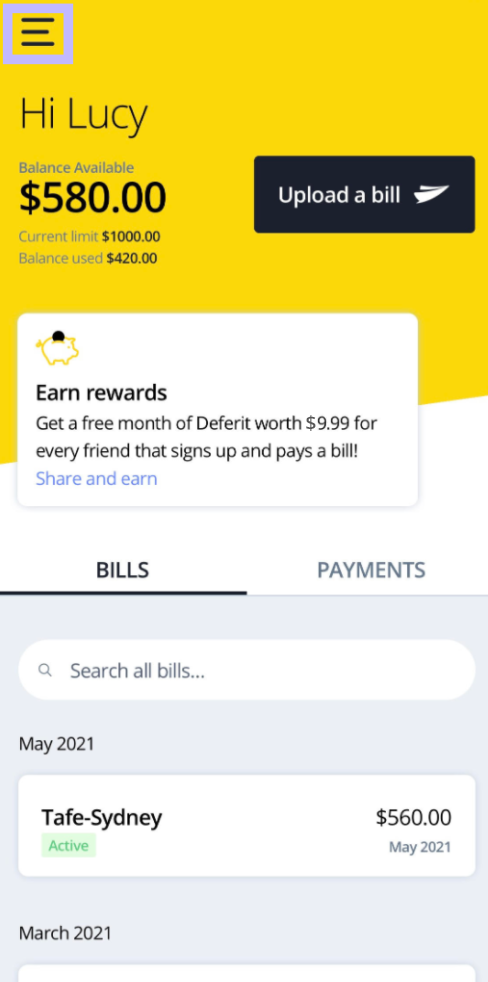
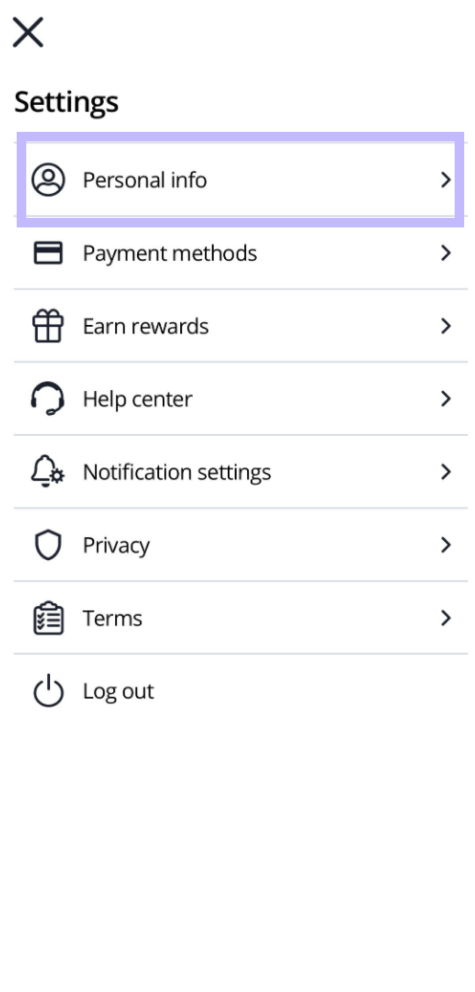
If you are on the app, head to the menu icon in the top left corner and a menu will pop open. Head into your Personal settings to update your details!
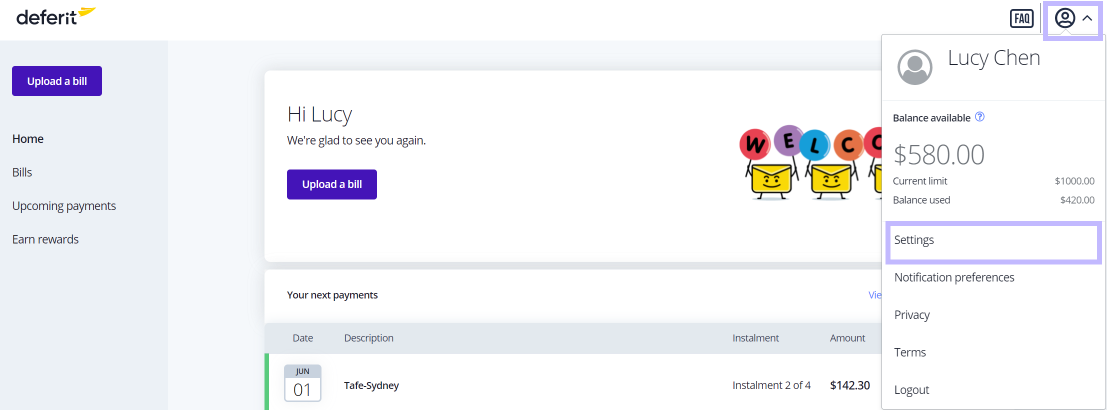
If you’re on the website, head to the personal info icon in the top right corner. A menu will drop down where you can head to Settings and make any updates!
If you need to change something else, such as your residential address, please get in touch with our friendly Customer Heroes through the link here!